DIY Theme Released


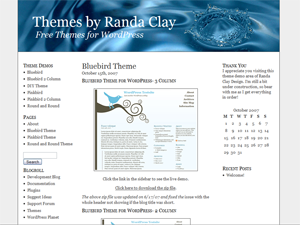
Click here to see the live demo of this and other themes I’ve released
.

Click here to download the zip file.

This theme is a clean and simple design, set up for you to be able to customize it. I have included seven different header images for you to choose from in the /images file, and will be writing an upcoming series of posts on Randa Clay Design about how to completely customize your theme using this as a base. Links to that series will be posted here when available. To change the header image, open the Stylesheet file in the Theme Editor, and change the header image name in the following area of code in the #head section near the top of the file:

background-image: url(images/headerdrop.jpg);

Here are the header images:

headerdrop.jpg:

headerleaf.jpg:

headerred.jpg:

headerroad.jpg:

headerrose.jpg:

headerwater.jpg:

headerfield.jpg:


You might also like:
  • Round and Round WordPress theme released
  • One of the best WordPress theme designers
  • Help out a newbie WordPress theme designer
  • Did you like this post? How about subscribing in a reader or via e-mail.


    34 Responses to “DIY Theme Released”

    1. 1 MyAvatars 0.2 TRuCKeRMaN

      that red one is tight… i dl these at the wp themes sight?

    2. 2 MyAvatars 0.2 Randa

      No, you can download the theme from the link in the post above (below the screenshot) or in my demo area. The header images are included in the theme’s image folder.

    3. 3 MyAvatars 0.2 Marko Novak

      I love the headers, but the theme doesn’t get me so much.

      Where did you get these images for header?

    4. 4 MyAvatars 0.2 Snoskred

      These are beautiful.

      I just recently moved to Wordpress and designed my own, well sort of. I took a template and then changed stuff till it looked how I liked it. I’m determined to stick with it for at least 12 months otherwise I’d consider using these. ;)

      I love your work, and I love that new header design on yours - excellent color choices!

      Cheers,
      Snoskred

    5. 5 MyAvatars 0.2 Randa

      @Marko - I got them at StockXchng.

      @Snoskred - thanks!! Nice job with your theme!

    6. 6 MyAvatars 0.2 samulli

      I like this theme. Nice and clean without any useless fuzz. If I hadn’t just recently changed my own theme I would seriously consider using it. The headers are great.
      I’m looking forward to your posts on customizing the theme, because I am still a bit lost on that count with WP themes.

    7. 7 MyAvatars 0.2 MyStarbucks

      Those are awesome Randa! I am looking to change my theme but i need something along the lines of coffee preferably Starbucks. Any ideas?

    8. 8 MyAvatars 0.2 Randa

      Find a coffee image at StockXchng - http://sxc.hu - and you can be our case study for learning to change your header in this theme!

    9. 9 MyAvatars 0.2 Prison Break

      Not awesome, they are really awesome, especially the headerfield.jpg: … but i like them all, but first theme i will use is the one with the picture name headerroade, it’s awesome too

    10. 10 MyAvatars 0.2 Poster Maniac

      i like the rose..it is so sweet

    11. 11 MyAvatars 0.2 My Forex Tools

      i like the road one…after looking at the theme make me think of my future, my future is just like the raod, a long way to go until can’t even see the end of the road.

    12. 12 MyAvatars 0.2 Mommy Zabs

      very awesome randa

    13. 13 MyAvatars 0.2 Charity

      Nice work Randa. I like the selection of headers. Particularly the water and leaf. Very cool.

    14. 14 MyAvatars 0.2 Michael

      Used the DIY theme, looking forward to seeing about changing link colors and a few other things, I changed the header.

    15. 15 MyAvatars 0.2 Randa Clay

      Great Michael! I visited your site - looks great so far. I’m curious what version of WordPress you’re on. You’re getting bullets before the sidebar headings, and I think they’ve fixed that issue with the widgets in the later versions of WP.

    16. 16 MyAvatars 0.2 Michael

      It is an early version, Yahoo hosting does automatic upgrade and they have no plans to upgrade to latest version. Something I have to get done sometime very soon manually.

      Didn’t think anything about the bullets as they appear on your demo site too.

      I plan on changing hosts too eventually.

    17. 17 MyAvatars 0.2 raj

      Randa, bravo. Not only are you offering a great, clean them but also gorgeous headers.

    18. 18 MyAvatars 0.2 Lawrence

      I really want to know how you made that red one (the banner, I mean)!

      They look brilliant, thanks for keeping the themes to the same brilliant standard!

      Keep it up!

    19. 19 MyAvatars 0.2 Accepted.co.uk

      Hi,
      really nice header banners.
      and i am also curious to know how did you do the red one as well

    20. 20 MyAvatars 0.2 lissie

      These are just gorgeous- I am definitly keeping an eye out for your future series on how to customise. My original website needs a re-vamp and a blog added to it and I need to learn how to customise something to fit in with the rest of the sites look and design - which is based on an example Dreamweaver one!

    21. 21 MyAvatars 0.2 Randa

      The red one is just a photo from StockXchng. :)

    22. 22 MyAvatars 0.2 Michael

      Fantastic work! Please keep them coming!

      I’m still trying to figure out how to make my theme expandable from it’s fixed status.

    23. 23 MyAvatars 0.2 Randa

      @Michael - Nooooo - fluid width is BAD. It makes your content lines very long, and that makes it difficult for visitors to read. 15-20 words per line is optimal for readability. :)

    24. 24 MyAvatars 0.2 Michael

      Thanks for your feedback. I dislike completely fluid layouts as well. But I’ve been thinking of making it fluid between 1024×768 and 800×600.

      My problem comes in that my theme is bit too narrow and there’s little whitespace. After looking at my analytics and seeing that the spread of screen resolutions is so broad now with the popularity of widescreen monitors that I feel like 800×600 is just too small.

      What do you think?

    25. 25 MyAvatars 0.2 Randa

      @Michael - good idea. You’d have to use a max-width setting though, and that doesn’t work in IE6, FYI. Seems it would be better just to expand the layout to 1024px, unless you’ve got a good percentage still on 800px.

    26. 26 MyAvatars 0.2 Stefson

      Nice work. I really like the leafheader.

      Chrz

      Stefson

    27. 27 MyAvatars 0.2 Bonita

      Very nice! I look forward to the info on how to customize.

      Bonita…..

    28. 28 MyAvatars 0.2 Lawrence

      >> The red one is just a photo from StockXchng. :)

      Oh right thanks! I’ll check it out now.

    29. 29 MyAvatars 0.2 Lawrence

      BTW the comment editor doesn’t work . I tried editing my comment and it gives an error saying PLEASE ENTER A COMMENT.

      I was just going to ask why, if you have such good themes, you don’t use them yourself. I mean, K2 is good but I do like yours more..

    30. 30 MyAvatars 0.2 Randa Clay

      @Lawrence- thanks for letting me know. I’ll check it out. I am using this version of K2 because it’s what I started out with way back in January, and I’ve hacked it up to death and I like the way it’s working. I’ve just gotten too busy to move off of it completely onto my own theme. I will eventually… good question though.

    31. 31 MyAvatars 0.2 Randa

      @Lawrence - I was able to edit my comment. Maybe you waited too long? It will give you the option to edit the comment for 30 minutes. I just changed the settings to show that countdown timer. :)

    32. 32 MyAvatars 0.2 Bonita

      I absolutely love this theme! However, my “pages” are missing when I switch to this theme. How do I get them to show up? Thanks, as I really am a novice.

      Bonita………..

    33. 33 MyAvatars 0.2 Chad Ledford

      I like the theme - thanks!

    1. 1 The easy way to learn CSS and customize your blog theme at Randa Clay Design